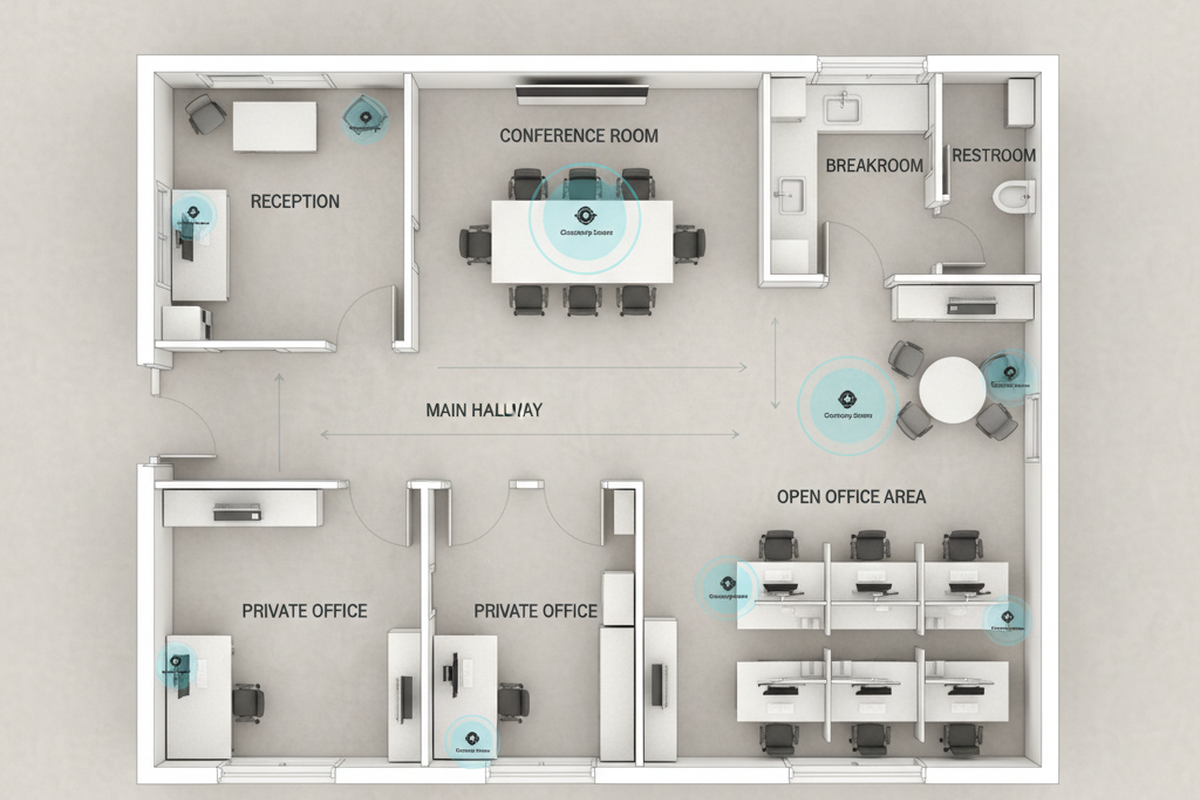
Το πιο ακριβό πρόβλημα αισθητήρα καταχώρησης σε ένα γραφείο σπάνια είναι «ο αισθητήρας δεν λειτουργεί». Είναι η στιγμή που λειτουργεί ακριβώς όπως έχει ρυθμιστεί, αλλά εξακολουθεί να κάνει τους ανθρώπους να αισθάνονται ανόητοι, διακοπτόμενοι ή ντροπιασμένοι.
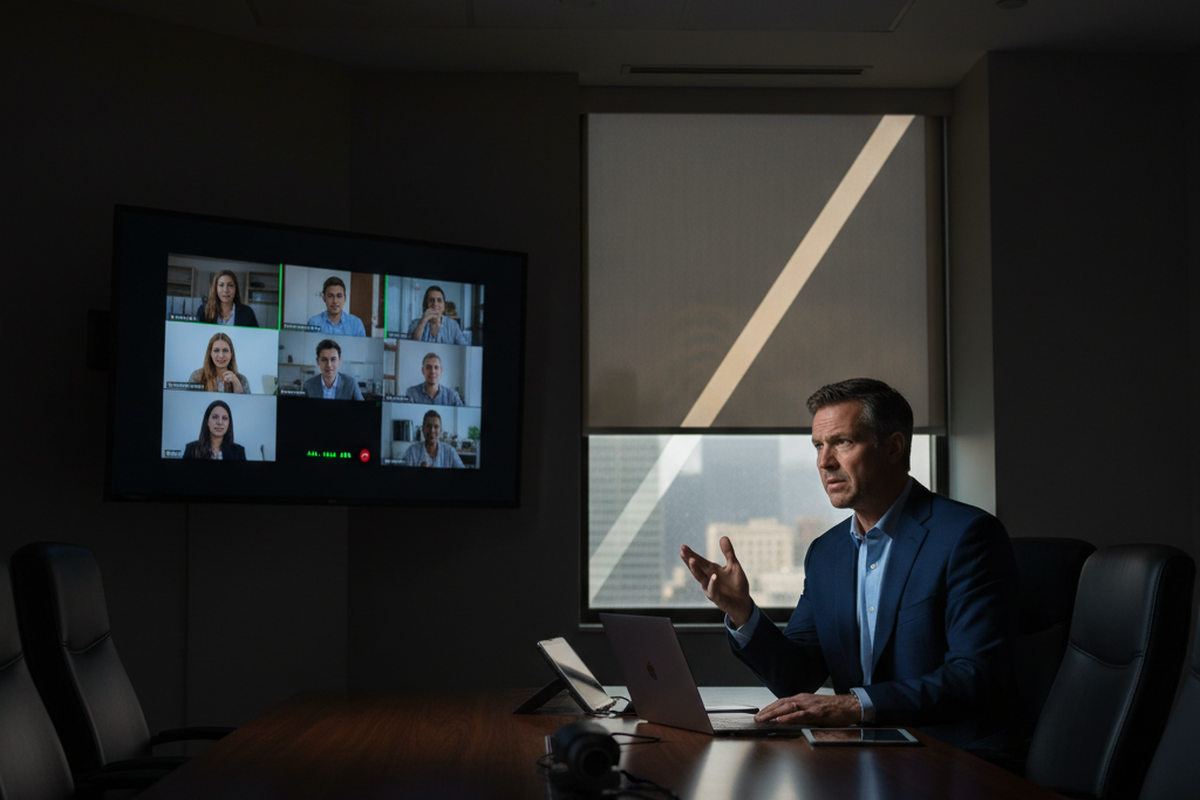
Μια αίθουσα συνεδριάσεων είναι ένα καλό παράδειγμα του πώς αυτό πάει στραβά. Σε μια σουίτα στο Fremont, CA, ένα δωμάτιο πέρασε κάθε γρήγορη επιθεώρηση: κάποιος μπήκε, χαιρέτησε, βγήκε και τα φώτα συμπεριφέρθηκαν. Μετά η σουίτα ενεργοποιήθηκε. Τα φώτα έπεσαν στη μέση μιας συνάντησης—κατά τη διάρκεια μιας ανασκόπησης προϋπολογισμού υπό την προεδρία ενός CFO, με εξωτερικούς ελεγκτές στο δωμάτιο. Ο αισθητήρας δεν ήταν «κακός», αλλά ο στόχος της εγκατάστασης ήταν λάθος. Το σύστημα έπρεπε να προστατεύει μια ήσυχη, καθιστή συνεδρία με υψηλές κοινωνικές προεκτάσεις.
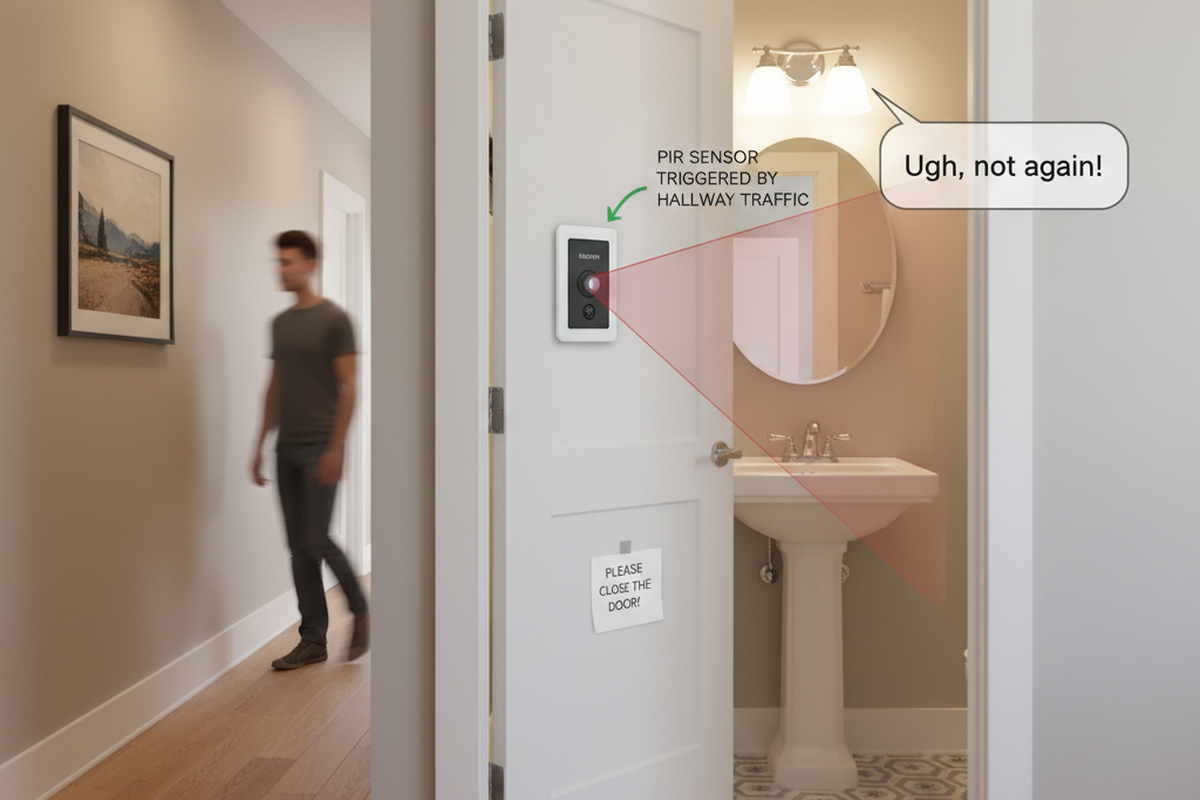
Το τυπικό ένστικτο μετά από μια καταγγελία για σβηστά φώτα είναι να πιάσεις την ευαισθησία. Αυτό είναι το παγίδα. Στην ίδια διάταξη, τη στιγμή που αυξάνεις την ευαισθησία, ένα γυάλινο πλαϊνό παράθυρο δίπλα σε μια πόρτα 36 ιντσών γίνεται κεραία κίνησης για την κυκλοφορία στον διάδρομο. Το δωμάτιο σταματάει να χρονομετράει, αλλά τώρα ενεργοποιείται τυχαία όταν κάποιος περνάει από το γυαλί. Οι άνθρωποι το αποκαλούν «καταραμένο» και σταματούν να εμπιστεύονται την ανακαίνιση.
Μια λειτουργική σουίτα δεν προέρχεται από ήρωες ρυθμίσεις. Προέρχεται από ένα μικρό σύνολο προφίλ ανά τύπο δωματίου, εφαρμοσμένα συνεπώς, με μερικές εξαιρέσεις που τεκμηριώνονται σαν να έχουν σημασία—γιατί έχουν.
Μια ακόμα μετάφραση που εξοικονομεί χρόνο: το εισιτήριο που λέει «αναβοσβήνουν τα φώτα» σε ένα ιδιωτικό γραφείο συχνά δεν είναι πρόβλημα οδηγού. Στην εποχή της υβριδικής εργασίας, πολλές καταγγελίες που ακούγονται σαν προβλήματα LED είναι απλώς timeout και «λείψεις ηρεμίας». Αν ένα άτομο κοιτάζει μια οθόνη σε ένα γραφείο βάθους 24 ιντσών και κινείται ελάχιστα για δύο λεπτά, το PIR θα κάνει ό,τι κάνει το PIR, εκτός αν το προφίλ έχει κατασκευαστεί γι' αυτή τη συμπεριφορά.
Πριν από τις Ρυθμίσεις: Μια 10‑λεπτη Πραγματικότητα PIR
Καμία ρύθμιση δεν διορθώνει έναν αισθητήρα που δεν μπορεί να δει την περιοχή που έχει σημασία. Σε μια μικρή σουίτα γραφείου, οι ταχύτερες εγκαταστάσεις συνήθως προέρχονται από το περπάτημα στο δωμάτιο και την παρατήρηση του τι «κοιτάζει» ο αισθητήρας σε σύγκριση με το τι κάνουν πραγματικά οι ένοικοι.
Ψάχνετε για λύσεις εξοικονόμησης ενέργειας με ενεργοποίηση κίνησης;
Επικοινωνήστε μαζί μας για πλήρεις αισθητήρες κίνησης PIR, προϊόντα εξοικονόμησης ενέργειας με ενεργοποίηση κίνησης, διακόπτες με αισθητήρα κίνησης και εμπορικές λύσεις Occupancy/Vacancy.
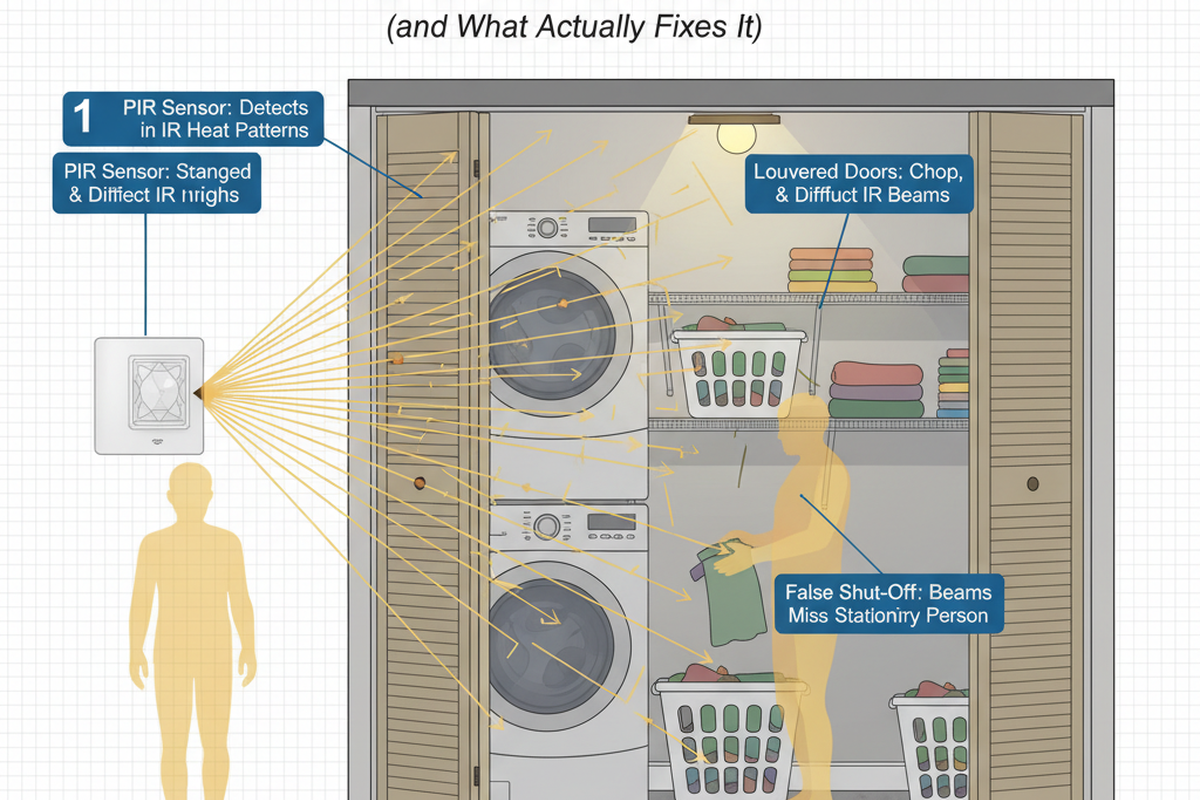
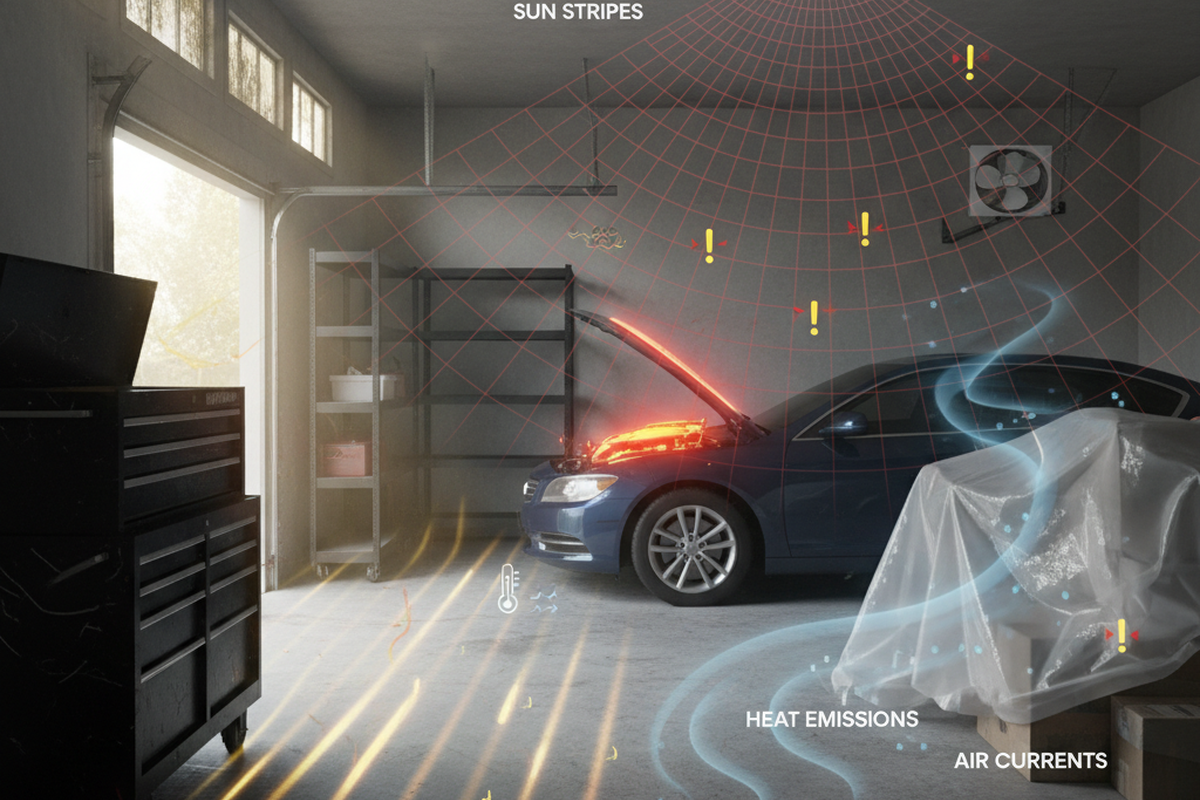
Ο έλεγχος οπτικής γραμμής δεν είναι μυστικός. Σταθείτε κάτω από τον αισθητήρα και ακολουθήστε την πιθανή ζώνη ανίχνευσης. Στη συνέχεια, αναζητήστε τους επαναλαμβανόμενους παραβάτες: μια εξαεριστική τρύπα που φυσάει πάνω από το πεδίο του αισθητήρα, μια πόρτα που πλαισιώνει την κίνηση στον διάδρομο, ένα γυάλινο μπροστινό γραφείο που μετατρέπει την κυκλοφορία στον διάδρομο σε ψευδείς ενεργοποιήσεις, ένα θερμό φωτοαντιγραφικό που αλλάζει το υπόβαθρο του δωματίου ή διαχωριστικά που μπλοκάρουν την κίνηση που πραγματικά συμβαίνει.
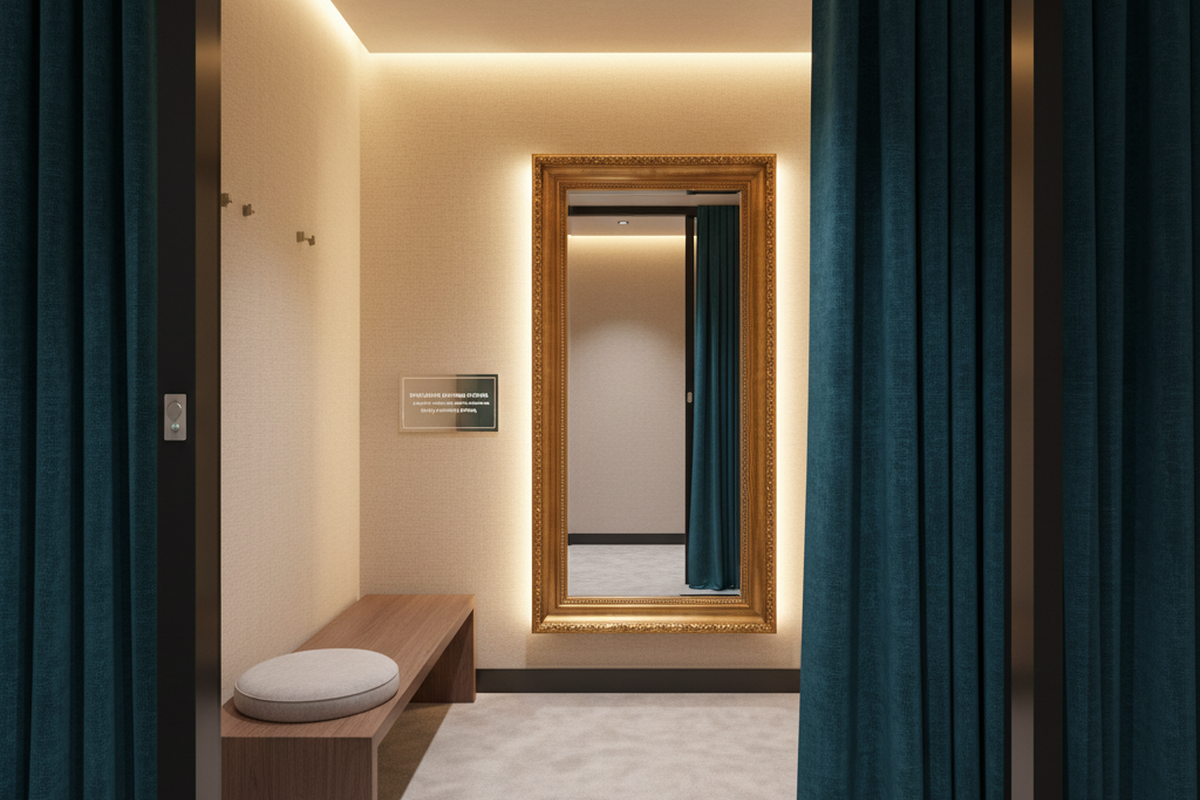
Οι τουαλέτες είναι η πιο σαφής υπενθύμιση ότι η τοποθέτηση δεν είναι διακοσμητική. Μια τουαλέτα με δύο θύρες στο Σαν Χοσέ, CA είχε έναν αισθητήρα κεντραρισμένο πάνω από τις θύρες επειδή έμοιαζε συμμετρική. Επίσης, παρήγαγε το χειρότερο δυνατό σφάλμα: τα φώτα σβήνουν ενώ κάποιος ήταν ακόμα μέσα σε μια θύρα. Αυτό κλιμακώθηκε στο HR και σε αίτημα να απενεργοποιηθούν οι αισθητήρες μέχρι να επανεγκατασταθούν. Η επισκευή δεν ήταν μια έξυπνη ρύθμιση· απαιτούσε μετακίνηση της κάλυψης προς την είσοδο και ανάθεση μιας συντηρητικής χρονικής καθυστέρησης ώστε η ησυχία να μην τιμωρείται. Αυτή η διόρθωση απαιτούσε επισκευή/βαφή και αλλαγή κεραμιδιού οροφής, αλλά ήταν ακόμα φθηνότερη από τη ζημιά στη φήμη.
Η κάλυψη διαφέρει ανά εγκατάσταση. Το ύψος τοποθέτησης, το μοτίβο φακού και η γεωμετρία του δωματίου αλλάζουν το πραγματικό μοτίβο ανίχνευσης αρκετά ώστε η εγκατάσταση να μην μπορεί να γίνει από το γραφείο. Μια ελάχιστη λίστα ελέγχου για την αποτροπή «μυστηριώδους» συμπεριφοράς είναι η εξής:
- Εντοπίστε πηγές διασταυρούμενης κυκλοφορίας: Γυάλινα πλαϊνά, ανοιχτές πόρτες, διαδρομές στον διάδρομο.
- Εντοπίστε ρεύματα αέρα ή θερμικές ιδιαιτερότητες: Εξαεριστήρες, ηλιακές κηλίδες, θερμός εξοπλισμός.
- Εντοπίστε πού βρίσκονται ακόμα οι άνθρωποι: Καθίσματα συνεδρίου, γραφεία, θάλαμοι τουαλέτας.
- Αποφασίστε την πρώτη κίνηση: Είναι στόχος/μάσκα/μετακίνηση και όχι αλλαγές παραμέτρων; Οι ρυθμίσεις είναι δευτεροβάθμιες μέχρι η φυσική εγκατάσταση να είναι λογική.
Τρία Προφίλ που Συνήθως Επιβιώνουν σε Πραγματικά Γραφεία
Μια σουίτα με δέκα διαφορετικές συμπεριφορές κατανομής δεν χρειάζεται δέκα διαφορετικές διαμορφώσεις. Χρειάζεται έναν μικρό αριθμό προφίλ που ένας μελλοντικός υπεύθυνος εγκαταστάσεων μπορεί να κατανοήσει γρήγορα, και ένας τεχνικός επιθεώρησης μπορεί να επαναφέρει χωρίς να κάνει εικασίες.
Οι συνήθειες τεκμηρίωσης έχουν σημασία εδώ επειδή οι μικρές σουίτες γραφείων αλλάζουν: οι ενοικιαστές αλλάζουν, τα έπιπλα μετακινούνται, και το άτομο που «γνωρίζει τις ρυθμίσεις» φεύγει. Ένας πλήρης φάκελος κλεισίματος μπορεί να υπάρχει σε έναν φάκελο SharePoint με όνομα TI_2022_Φωτισμός και να παραμένει λειτουργικά αόρατος. Αυτό που επιβιώνει είναι ένας χάρτης «Τύπος Δωματίου → Προφίλ» μιας σελίδας που προωθείται σε μια συζήτηση email, ή κολλημένος μέσα στην πόρτα του πίνακα φωτισμού αν η πολιτική το επιτρέπει.
Αυτά τα προφίλ είναι στόχοι συμπεριφοράς, όχι καθολικές συνταγές DIP διακοπτών Rayzeek, επειδή τα μοντέλα και το υλικολογισμικό διαφέρουν (DIP τράπεζες έναντι παραμέτρων εφαρμογής). Μετατρέψτε αυτούς τους στόχους στις ακριβείς επιλογές στο εγχειρίδιο εγκατάστασης για το μοντέλο στον οροφή.
Προφίλ Α: «Άτομα Εργάζονται Εδώ» (ανεκτικότητα στη σιωπή)
Αυτή είναι η προεπιλογή για ιδιωτικά γραφεία και αίθουσες συνεδριάσεων, εκτός αν υπάρχει ισχυρός λόγος να τα αντιμετωπίζουμε διαφορετικά. Η υπόθεση είναι απλή: ένα άτομο μπορεί να είναι παρών και παραγωγικό με πολύ λίγη κίνηση. Το χρονικό όριο πρέπει να είναι αρκετά μεγάλο ώστε να αντέξει μια καθιστή συνάντηση ή μια μακρά βιντεοκλήση, και η ανίχνευση πρέπει να δίνει προτεραιότητα στην καθιστή ζώνη, όχι στην πόρτα.
Χτίστε αυτό το προφίλ γύρω από τον κίνδυνο σιωπής. Στα ιδιωτικά γραφεία, η στάση «Zoom σιωπή» είναι πραγματική: κοιτάζοντας μια οθόνη, χέρια στο γραφείο, ελάχιστη κίνηση για λεπτά κάθε φορά. Αν ο αισθητήρας είναι προσανατολισμένος στην πόρτα αντί για την καρέκλα — ή αν το γραφείο έχει γυάλινο πλαϊνό παράθυρο και η πόρτα συχνά μένει ελαφρώς ανοιχτή — η πειρασμός είναι να αυξήσετε την ευαισθησία μέχρι να ανιχνευθεί μικρο-κίνησης. Αυτό συχνά μετατρέπεται σε διαρροή στον διάδρομο και τυχαία ενεργοποιήσεις.
Ένα πιο ασφαλές μοτίβο: βεβαιωθείτε ότι ο αισθητήρας μπορεί να «δεί» την ζώνη της καρέκλας, επεκτείνετε το χρονικό όριο για να καλύψει το παράθυρο σιωπής, και μόνο εξετάστε αλλαγές ευαισθησίας αν ο στόχος και η διαρροή είναι ήδη υπό έλεγχο.
Οι αίθουσες συνεδριάσεων αξίζουν μια σημείωση επειδή το κόστος αποτυχίας τους είναι δυσανάλογο. Το περιστατικό Fremont — φώτα που πέφτουν στη μέση μιας συνάντησης με στελέχη και ελεγκτές — δεν λύθηκε με την αύξηση της ευαισθησίας της ανίχνευσης. Λύθηκε αναγνωρίζοντας τον ρόλο του δωματίου: προστασία των συναντήσεων. Αυτό συνήθως σημαίνει μεγαλύτερο χρονικό όριο από τη υπόλοιπη σουίτα, plus ένα επίπεδο ευαισθησίας που αγνοεί τη φασαρία του διαδρόμου μέσω ενός γυάλινου πλαϊνού παραθύρου. Ένα δωμάτιο συνεδριάσεων που ενεργοποιείται όταν κάποιος περνάει από το γυαλί δεν είναι «πιο προηγμένο». Αισθάνεται απρόβλεπτο.
Profile B: «Ρυθμίσεις Αξιοπρέπειας» (τουαλέτες και χώροι ευαίσθητοι HR)
Οι τουαλέτες δεν είναι μέρος για ευφυΐα. Ο κανόνας που τείνει να μειώσει τον κίνδυνο παραπόνων είναι απλός: οι τουαλέτες έχουν μεγαλύτερα χρονικά όρια και επιεική συμπεριφορά, ακόμη και αν ο διαχειριστής ενέργειας θέλει να τις αντιμετωπίζει ως εύκολες εξοικονομήσεις.
Ο λόγος είναι κοινωνικός, όχι τεχνικός. Στην περίπτωση με δύο θάλαμοι στο Σαν Χοσέ, ένα γεγονός διακοπής φωτισμού σε θάλαμο έγινε ιστορία που διαδόθηκε και ανάγκασαν μια έκτακτη επανεκκίνηση. Η ενεργειακή ποινή από μια μεγαλύτερη διάρκεια timeout στις τουαλέτες είναι συνήθως μικρή σε σύγκριση με το κόστος απενεργοποίησης των αισθητήρων εντελώς μετά από μια αντίδραση. Αυτό το προφίλ έχει επίσης μια προκατάληψη τοποθέτησης: αποφύγετε την κάλυψη που μπλοκάρεται από διαχωριστικά θάλαμων 7 ποδιών, αποφύγετε το κεντράρισμα πάνω από τις θάλαμες «για συμμετρία», και δώστε προτεραιότητα στην κάλυψη κοντά στην είσοδο και τα μοτίβα κίνησης που κάνουν οι άνθρωποι στην πραγματικότητα.
Αν κάποιος αναζητά «ντροπιαστικός αισθητήρας μπάνιου» ή «ο αισθητήρας κατειλημμένοτητας τουαλέτας συνεχίζει να κλείνει», η διόρθωση δεν είναι μια διάλεξη για PIR. Η διόρθωση είναι η αντιμετώπιση της τουαλέτας ως χώρου υψηλού ρίσκου, η επιφυλακτική ανάθεση και η επικύρωσή της με μια ειλικρινή δοκιμή ακινησίας.
Profile C: «Δωμάτια Έκρηξης και Μετακινήσεις» (αντιγραφικά δωμάτια, αποθήκες, διάδρομοι)
Εδώ μπορεί να γίνει ενεργειακή εξοικονόμηση με λιγότερο κοινωνικό ρίσκο—εφόσον διαχειριστεί πρώτα η διαρροή διασταυρούμενης κυκλοφορίας. Τα αντιγραφικά δωμάτια, οι αποθηκευτικοί χώροι και οι διάδρομοι συνήθως «μπες, κάνε μια σύντομη εργασία, βγες». Δεν σχεδιάζονται για ακινησία. Ένα μικρότερο timeout είναι συχνά κατάλληλο, αλλά μόνο αφού ο αισθητήρας σταματήσει να ενεργοποιείται από λάθος άτομα σε λάθος μέρος.
Ένα αντιγραφικό δωμάτιο στο Πόρτλαντ, OR δείχνει τον κοινό τρόπο αποτυχίας. Η πόρτα ήταν συχνά στηριγμένη ανοιχτή με ένα σφήνα κατά τις ώρες αιχμής, και ο αισθητήρας είχε οπτική γραμμή προς την κίνηση στον διάδρομο μέσω αυτής της ανοίγματος. Οι άνθρωποι διαμαρτύρονταν ότι το αντιγραφικό δωμάτιο ήταν «πάντα ενεργό», και η πρώτη προτεινόμενη λύση ήταν η μείωση του χρόνου timeout. Αυτό θα έκανε το δωμάτιο χειρότερο κατά τη διάρκεια της πραγματικής χρήσης: οι άνθρωποι εκτυπώνουν, περιμένουν, συγκεντρώνουν και στέκονται σχετικά ακίνητοι για μικρά διαστήματα. Η αποτελεσματική λύση ήταν να σταματήσει η διαρροή στον διάδρομο (στόχευση/μάσκα και συμπεριφορά πόρτας), και στη συνέχεια να οριστεί ένα timeout που κλείνει γρήγορα το δωμάτιο μετά από μια πραγματική έξοδο χωρίς να τιμωρεί την 60–120 δευτερόλεπτα αναμονής εκτύπωσης.
Οι διάδρομοι προσθέτουν το επίπεδο μετά τις ώρες λειτουργίας. Σε μια σουίτα στο Όκλαντ, CA, τα φώτα του διαδρόμου ήταν επανειλημμένα αναμμένα νωρίς το πρωί. Η ομάδα καθαρισμού είχε ένα προβλέψιμο παράθυρο 6–9 μ.μ. και ένα μοτίβο επανάληψης: απορρίμματα, σκούπισμα, προχώρημα, επανάληψη. Με γενναιόδωρα χρονικά όρια και γυάλινες προσόψεις γραφείων, η διακοπτόμενη κίνηση επανενεργοποιούσε τον διάδρομο. Ο ενοικιαστής δεν το ανέφερε αρχικά ως «παράπονο άνεσης»· εμφανίστηκε ως πρόβλημα ενεργειακής οπτικής όταν συγκρίθηκαν οι λογαριασμοί κοινής ωφέλειας μήνα με μήνα. Στους χώρους μετακίνησης, οι μικρότεροι χρόνοι timeout και ο πιο αυστηρός έλεγχος διαρροής είναι συνήθως πιο ασφαλείς από τα γραφεία, τις συναντήσεις ή τις τουαλέτες.
Εξαιρέσεις (κρατημένες μικρές επίτηδες)
Οι εξαιρέσεις πρέπει να κερδίζονται και να τεκμηριώνονται, όχι να αυτοσχεδιάζονται. Ένα δωμάτιο διακομιστή με σπάνια είσοδο μπορεί να χρειάζεται διαφορετική συμπεριφορά. Ένα αντιγραφικό δωμάτιο δίπλα σε έναν διάδρομο με υψηλή κυκλοφορία μπορεί να χρειάζεται μάσκα που άλλα δωμάτια δεν έχουν. Ο κανόνας που διατηρεί τις σουίτες διαχειρίσιμες είναι: λίγες εξαιρέσεις, καταγραφή γιατί υπάρχουν, και διατήρηση μονοπατιού επαναφοράς στη βασική γραμμή του προφίλ.
Μια σουίτα που «λειτουργεί» σήμερα αλλά δεν μπορεί να εξηγηθεί έξι μήνες αργότερα θα επαναρυθμιστεί στις προεπιλογές από τον επόμενο υπό πίεση. Τα προφίλ είναι άμυνα εναντίον αυτού.
Οι Κουμπιά που Μετράνε (και η Παραγγελία να τα Αγγίξεις)
Οι περισσότερες διατάξεις δοκιμών συμβαίνουν επειδή γίνονται αλλαγές εκτός σειράς. Για να μειωθούν οι κλήσεις επιστροφής, ακολούθησε αυτή τη σειρά: οπτική γραμμή/στόχευση/μάσκα πρώτα, timeout δεύτερα, ευαισθησία τρίτα, και πολιτική λειτουργίας (κατοικία vs. κενότητα) ως συνειδητή απόφαση παρά ως σπασμένο μέρος.
Ίσως ενδιαφέρεστε για
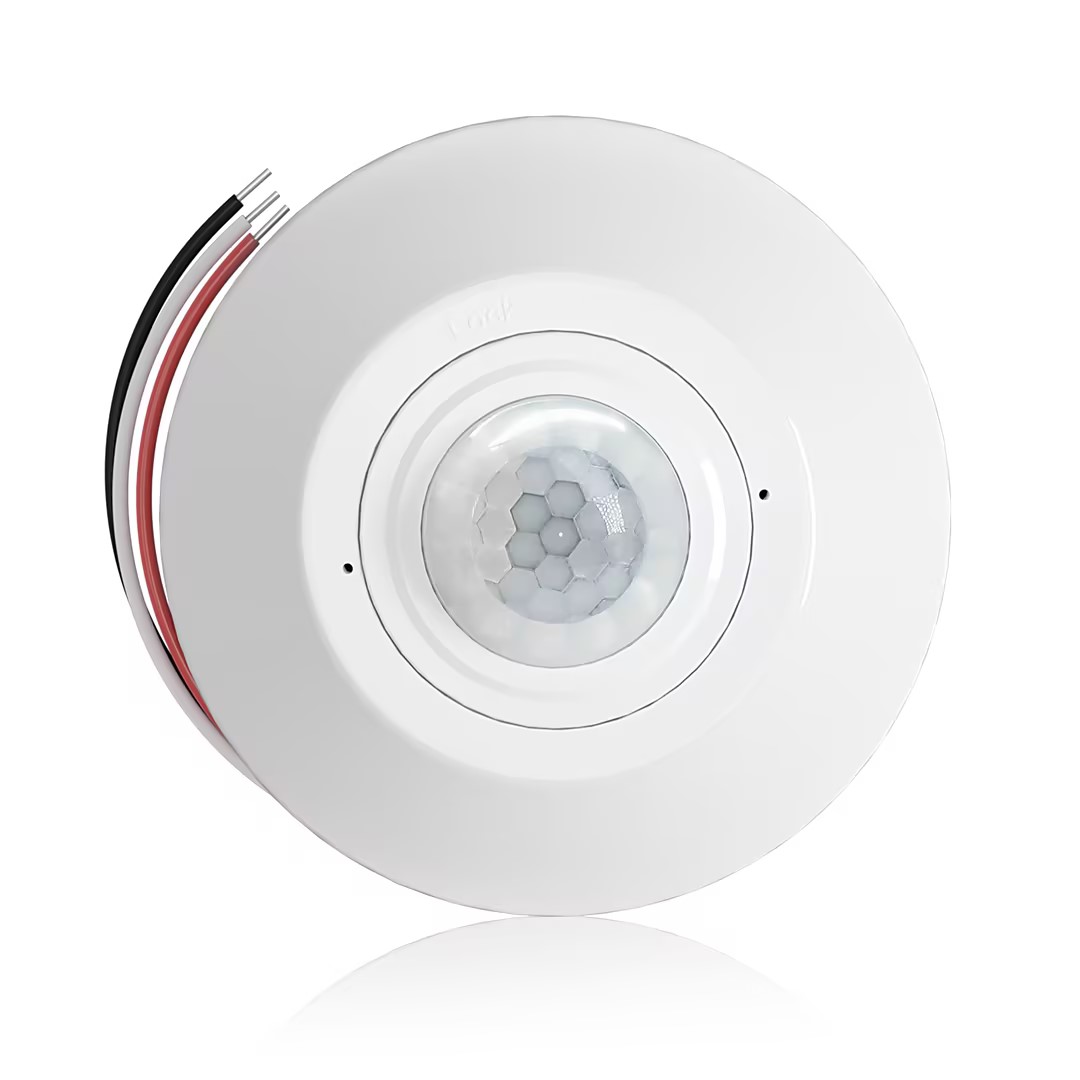
- Ceiling-mounted PIR occupancy sensor with dry-contact relay output
- 12/24VDC or 12/24VAC low-voltage supply
- COM, NO, and NC isolated relay contacts for EMS, HVAC, and building control inputs
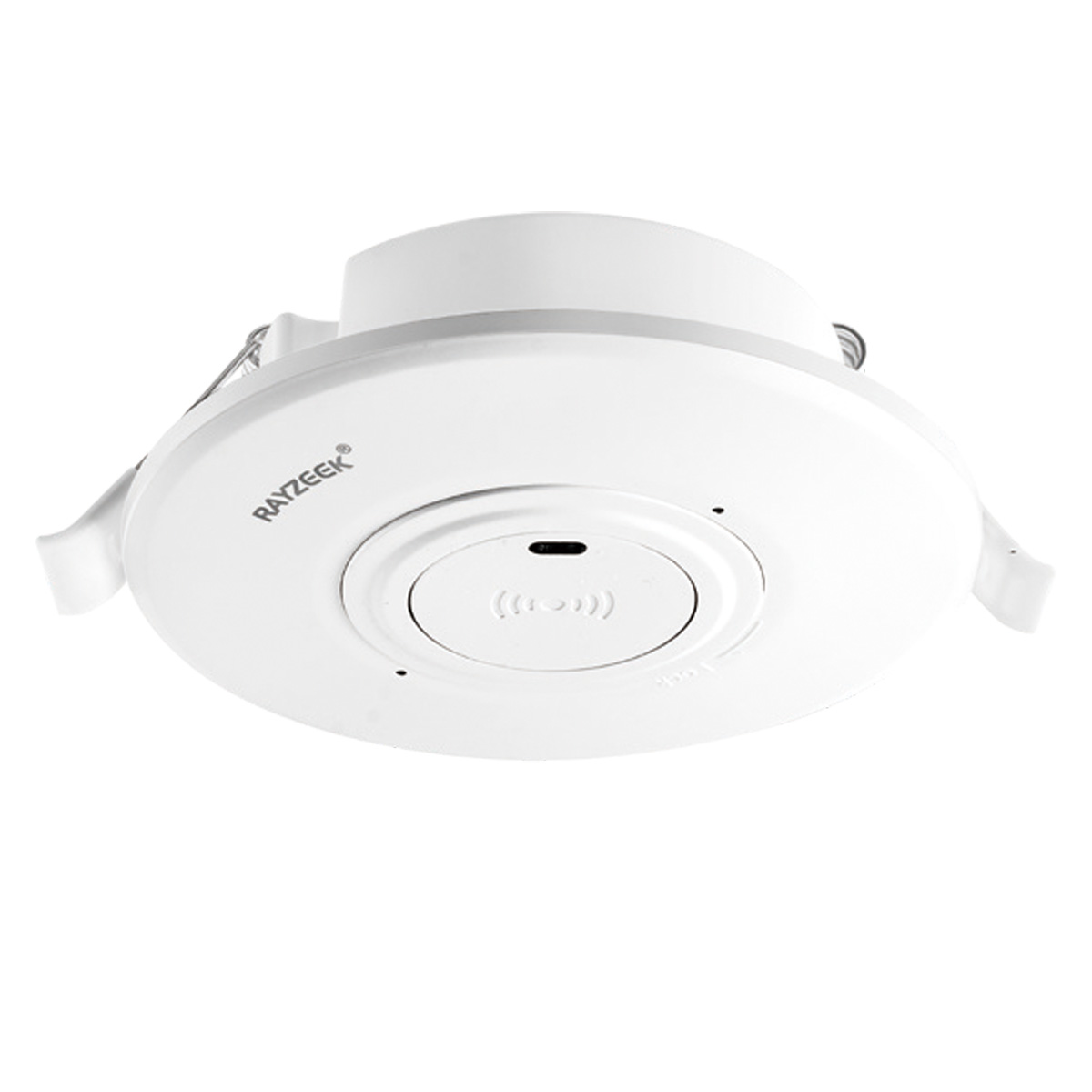
- Low-voltage DC recessed ceiling-mounted microwave motion sensor switch
- 12 VDC / 24 VDC input with 10-30 VDC range
- 10A max work current with adjustable time delay, Lux threshold, and sensitivity
- Higher-load recessed ceiling-mounted microwave motion sensor switch
- 100-265 VAC line-voltage input, 10A model
- 5.8 GHz microwave sensing with adjustable time delay, Lux threshold, and sensitivity
- Recessed ceiling-mounted microwave motion sensor switch
- 100-265 VAC line-voltage input, 5A model
- 5.8 GHz microwave sensing with adjustable time delay, Lux threshold, and sensitivity
- Ceiling-mounted RZ037 PIR occupancy sensor dimmer for 220V power
- 3A maximum working current with 660W rated load
- LUX button controls light-sensor ON/OFF and user-set dimming brightness
- Ceiling-mounted RZ037 PIR occupancy sensor dimmer for 110V power
- 3A maximum working current with 330W rated load
- LUX button controls light-sensor ON/OFF and user-set dimming brightness
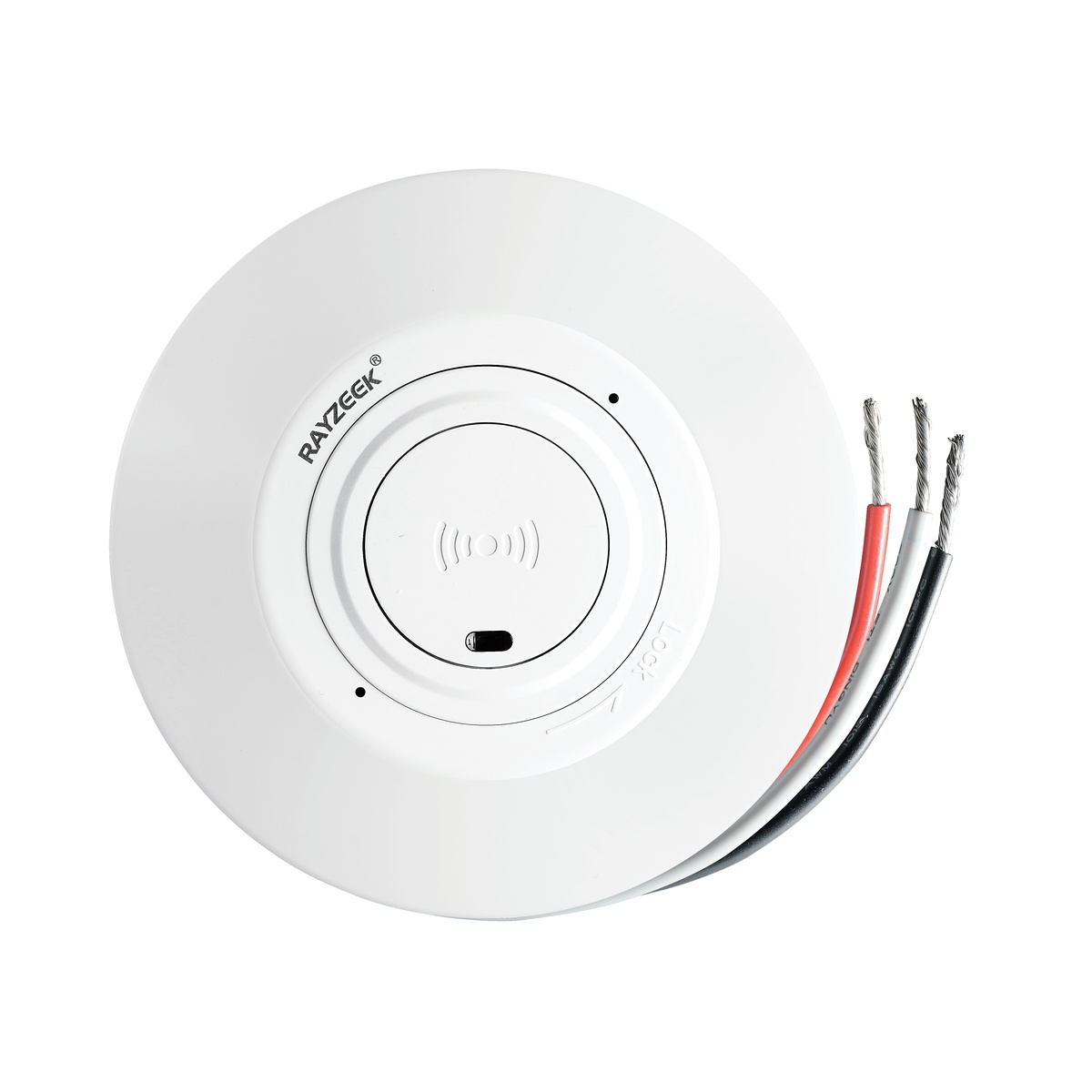
- Low-voltage DC ceiling-mounted microwave motion sensor switch
- 12 VDC / 24 VDC input with 10-30 VDC range
- 10A max work current with adjustable time delay, Lux threshold, and sensitivity
- Higher-load ceiling-mounted microwave motion sensor switch
- 100-265 VAC line-voltage input, 10A model
- 5.8 GHz microwave sensing with adjustable time delay, Lux threshold, and sensitivity
- Ceiling-mounted microwave motion sensor switch
- 100-265 VAC line-voltage input, 5A model
- 5.8 GHz microwave sensing with adjustable time delay, Lux threshold, and sensitivity
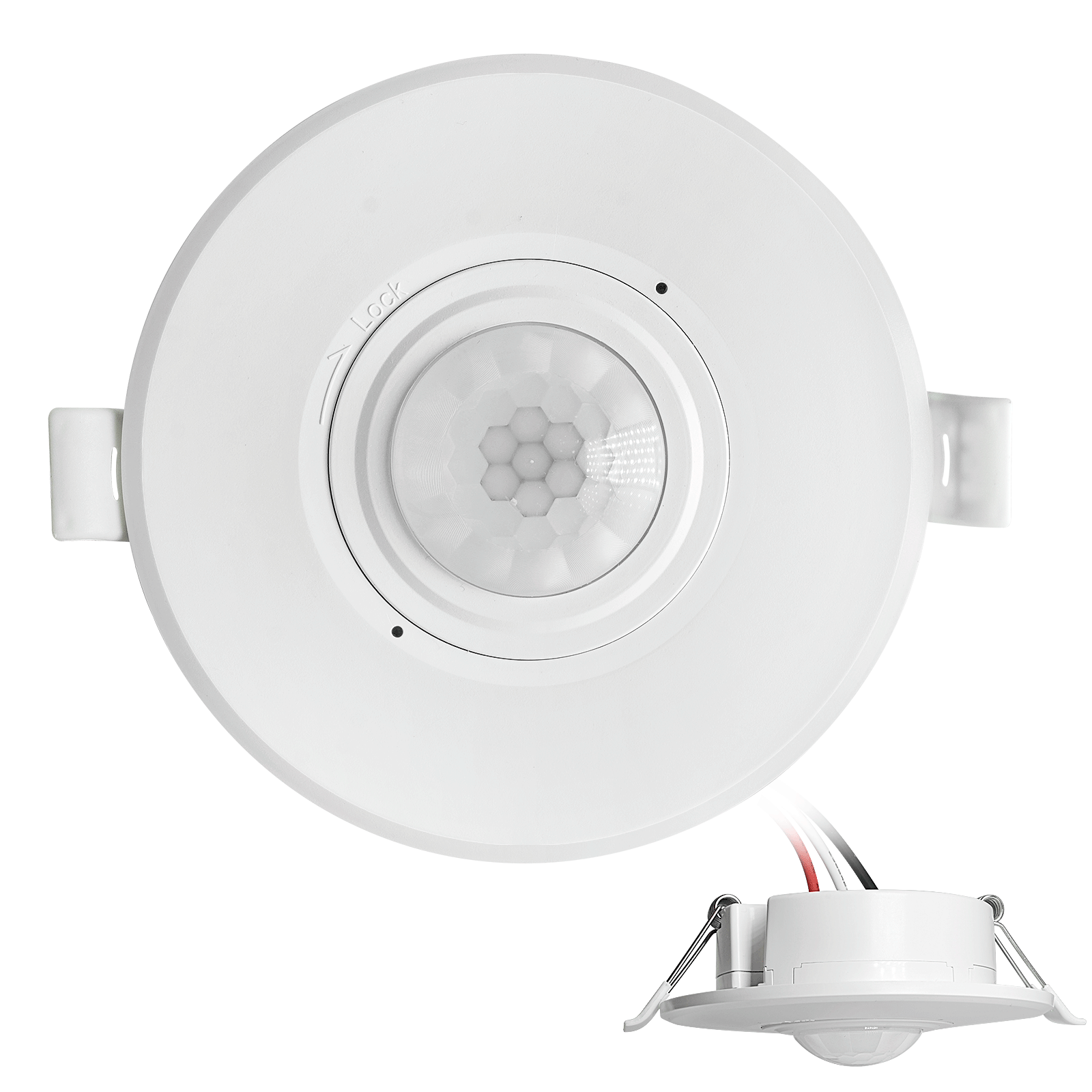
- Low-voltage DC recessed ceiling mount PIR motion sensor switch
- 12 VDC / 24 VDC input with 10-30 VDC range
- Max work current 10A with adjustable time delay, Lux threshold, and sensitivity
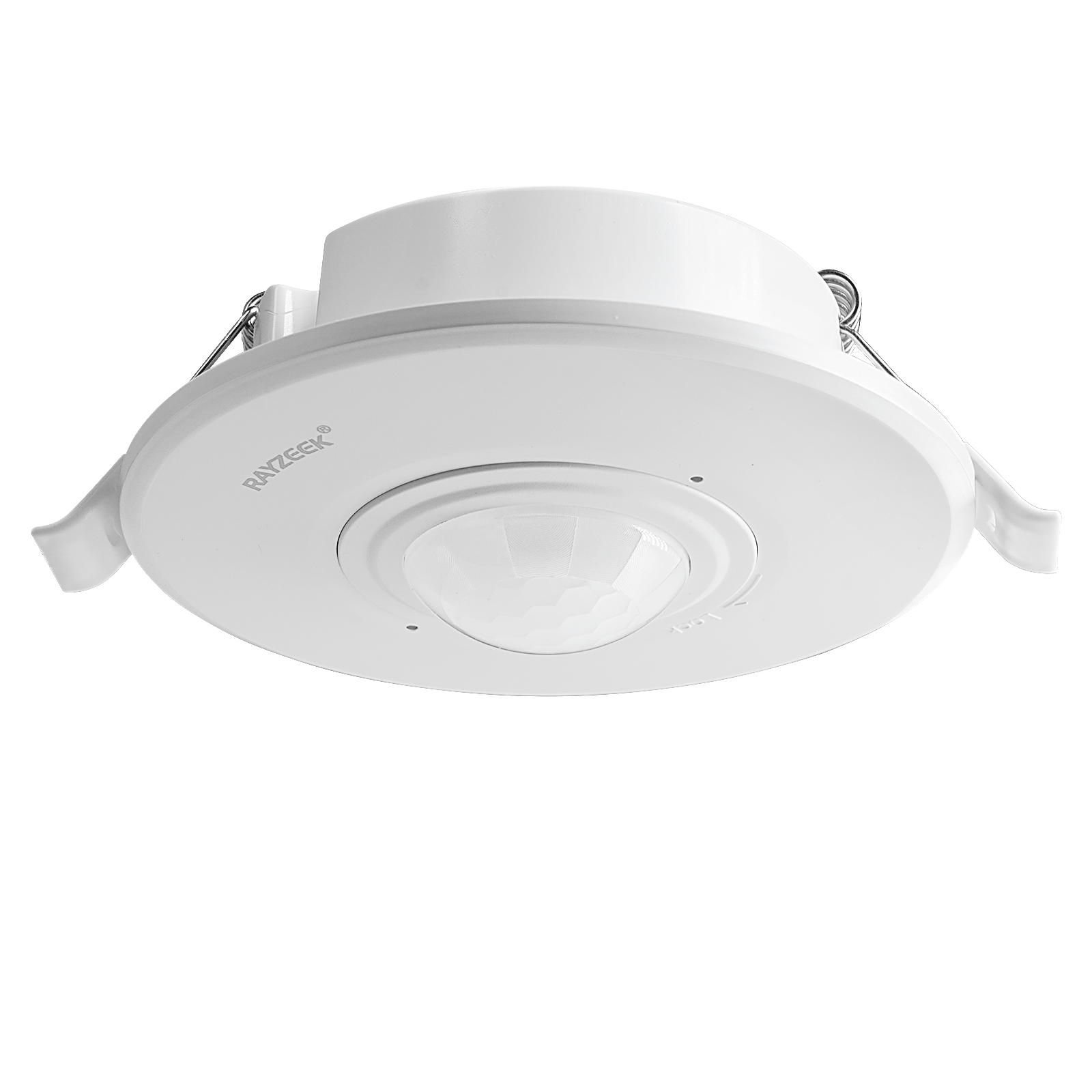
- Higher-load recessed ceiling mount PIR motion sensor switch
- 100-265 VAC line-voltage input, 10A model
- 360-degree detection with adjustable time delay, Lux threshold, and sensitivity
- Recessed ceiling mount PIR motion sensor switch
- 100-265 VAC line-voltage input, 5A model
- 360-degree detection with adjustable time delay, Lux threshold, and sensitivity
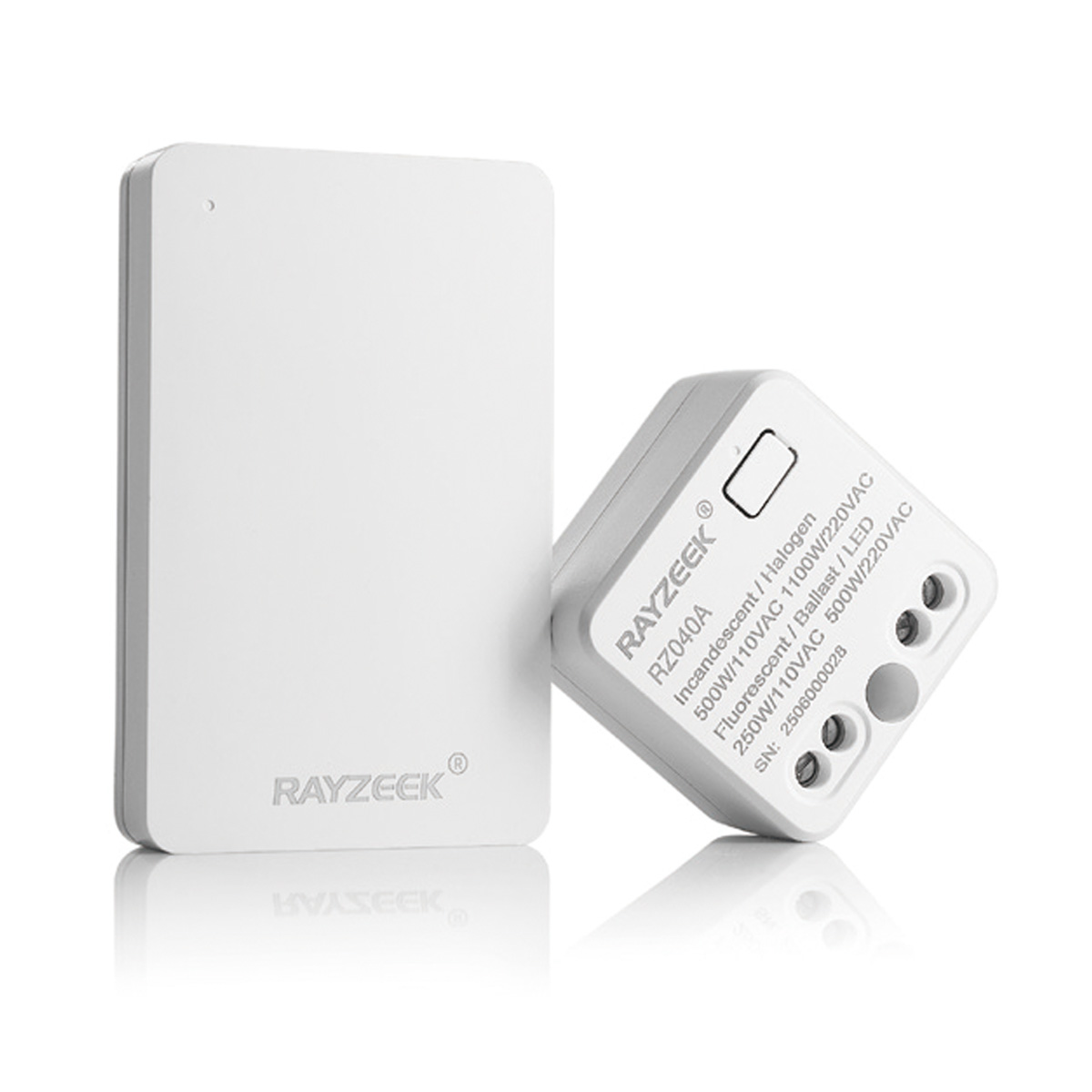
- Wireless switch and receiver kit for indoor ON/OFF lighting control
- 100-230VAC, 50/60Hz receiver with 5A rated current
- CR2032-powered wireless switch with 2.4GHz communication
- Χρησιμοποίηση (Auto-ΕΝΑ/Auto-ΑΠΕΝΕΡΓΟ)
- 12–24V DC (10–30VDC), έως 10A
- Κάλυψη 360°, διάμετρος 8–12 μ.
- Χρόνος καθυστέρησης 15 δ–30 λεπτά
- Αισθητήρας φωτός Απενεργοποίηση/15/25/35 Lux
- Υψηλή/Χαμηλή ευαισθησία
- Λειτουργία αυτόματης ενεργοποίησης/αυτόματης απενεργοποίησης κατάληψης
- 100–265V AC, 10A (απαιτείται ουδέτερο)
- Κάλυψη 360°; διάμετρος ανίχνευσης 8–12 μ
- Χρονική καθυστέρηση 15 s–30 min; Lux OFF/15/25/35; Ευαισθησία Υψηλή/Χαμηλή
- Λειτουργία αυτόματης ενεργοποίησης/αυτόματης απενεργοποίησης κατάληψης
- 100–265V AC, 5A (απαιτείται ουδέτερο)
- Κάλυψη 360°; διάμετρος ανίχνευσης 8–12 μ
- Χρονική καθυστέρηση 15 s–30 min; Lux OFF/15/25/35; Ευαισθησία Υψηλή/Χαμηλή
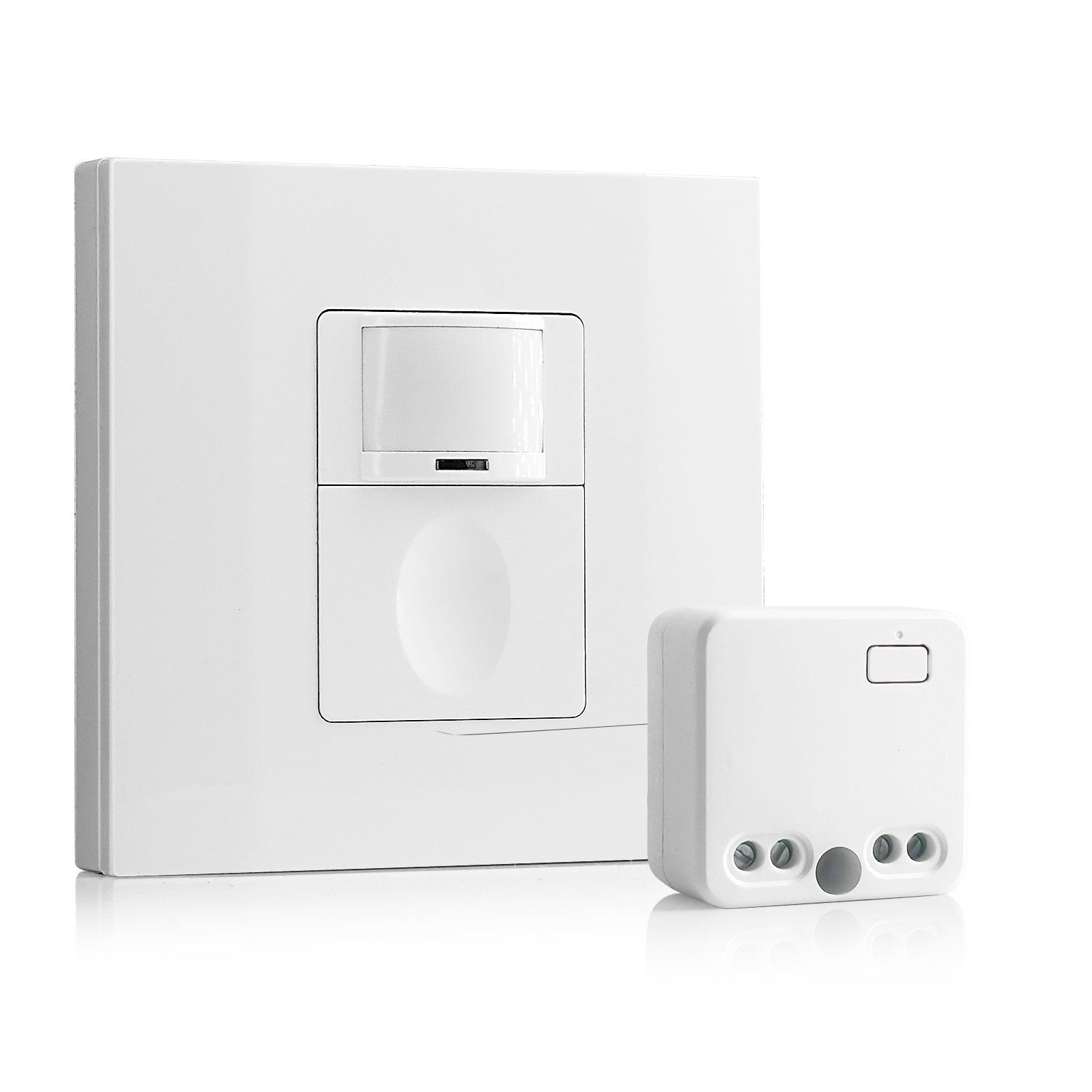
- 100V-230VAC
- Απόσταση μετάδοσης: έως 20m
- Ασύρματος αισθητήρας κίνησης
- Έλεγχος με καλωδίωση
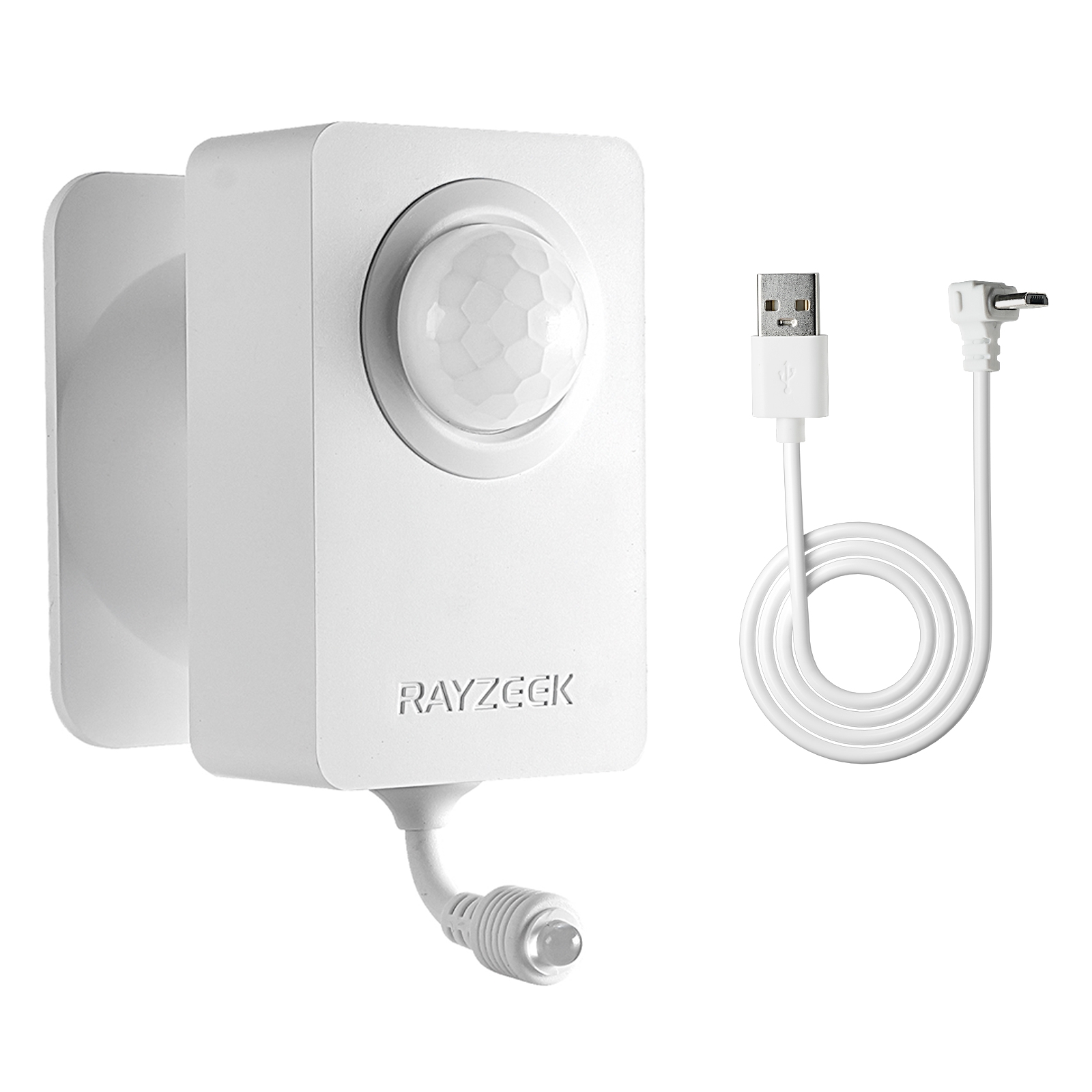
- Τάση: 2x μπαταρίες AAA / 5V DC (Micro USB)
- Λειτουργία ημέρας/νύχτας
- Χρονική καθυστέρηση: (προεπιλογή), 2 ώρες
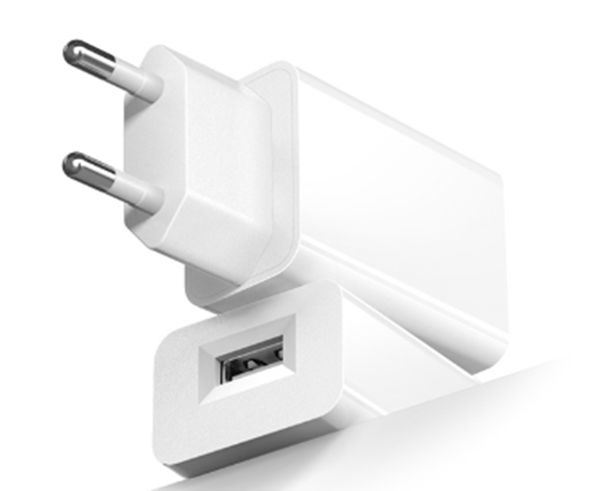
- Τροφοδοτικό με βύσμα ΕΕ
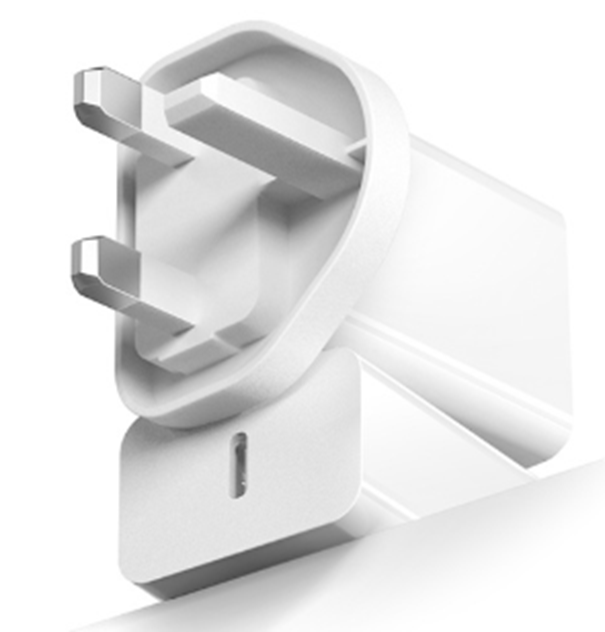
- Τροφοδοτικό με βύσμα Ηνωμένου Βασιλείου
Το timeout είναι το κύριο μοχλό επειδή αντιστοιχεί άμεσα στην πιο κοινή καταγγελία: «τα φώτα έσβησαν ενώ ήμουν ακόμα εδώ». Σε γραφεία και αίθουσες συνεδριάσεων, οι μεγαλύτερες χρονικές καθυστερήσεις δεν είναι τεμπελιά· είναι επιλογή σταθερότητας. Οι εξοικονομήσεις ενέργειας διατηρούνται με την προώθηση της επιθετικότητας στους διαδρόμους, τις αποθήκες και άλλους χώρους διακίνησης όπου το παράθυρο ακινησίας είναι σύντομο και το κόστος ντροπής χαμηλό.
Η ευαισθησία είναι το πιο παρεξηγημένο μοχλό επειδή συμπεριφέρεται σαν εμπόριο. Σε μια νομική εταιρεία στο Sacramento, το γραφείο ενός εταίρου σκοτείνιασε ενώ διάβαζε· η γρήγορη λύση ήταν να κάνουμε τον αισθητήρα «πιο ευαίσθητο». Τότε το γραφείο άρχισε να ανάβει κάθε φορά που κάποιος περνούσε μπροστά από το γυάλινο μπροστινό μέρος στον διάδρομο. Το γραφείο δεν έγινε πιο άνετο· έγινε απρόβλεπτο. Η επισκευή περιελάμβανε την μείωση της ευαισθησίας, την στόχευση προς την καθιστή ζώνη και την ελαφρά επέκταση του χρόνου αναμονής. Αυτή η σειρά έχει σημασία: όταν υπάρχει διασταυρούμενη κυκλοφορία, η αύξηση της ευαισθησίας ενισχύει το λανθασμένο κίνηση όσο και τη σωστή.
Οι συσκευές Rayzeek διαφέρουν στο πώς αντιπροσωπεύονται αυτές οι επιλογές—διακόπτες DIP στη μονάδα οροφής σε ορισμένες εγκαταστάσεις, παράμετροι εφαρμογής σε άλλες. Ο στόχος είναι ο ίδιος: επιλέξτε ένα εύρος χρόνου αναμονής που ταιριάζει στον κίνδυνο ακινησίας του δωματίου και αντιμετωπίστε την ευαισθησία ως προσεκτική ρύθμιση αφού ο ζωντανός χώρος έχει στοχευθεί σωστά. Χρησιμοποιήστε το εγχειρίδιο για το ακριβές μοντέλο ως οδηγό, αλλά διατηρήστε το σκοπό του προφίλ σταθερό.
Τελετουργικά ανάθεσης: Δοκιμάστε όπως θα χρησιμοποιηθεί η σουίτα
Μια δοκιμή «περπατήστε και κυματίστε» παράγει ψευδή αυτοπεποίθηση. Οι τρόποι αποτυχίας εμφανίζονται όταν οι άνθρωποι συμπεριφέρονται φυσιολογικά: καθισμένοι και ήσυχοι, μερικώς κρυμμένοι από διαχωριστικά, ή κινούμενοι σε σύντομες εκρήξεις.
Η δοκιμή ακινησίας είναι ένα απλό παράδειγμα. Σε ένα ιδιωτικό γραφείο, καθίστε στην καρέκλα που κοιτάζει την οθόνη με τα χέρια στο γραφείο για δύο λεπτά. Αν τα φώτα αποτύχουν σε αυτή τη δοκιμή, η επόμενη κίνηση δεν είναι αυτόματα η ευαισθησία. Επιβεβαιώστε ότι ο αισθητήρας βλέπει την καθιστή ζώνη, στη συνέχεια ρυθμίστε τον χρόνο αναμονής ώστε να καλύπτει ένα ρεαλιστικό παράθυρο ακινησίας. Πολλές καταγραφές ως «αναβοσβήνει/εκτός» στην εποχή της υβριδικής εργασίας λύνονται με αυτήν την ακριβή επαλήθευση, χωρίς αντικατάσταση LED ή οδηγών.
Τα μπάνια αξίζουν το δικό τους τελετουργικό επαλήθευσης εξαιτίας του κόστους αξιοπρέπειας. Αν η πρόσβαση είναι δυνατή, μια δοκιμή ακινησίας σε θάλαμο—ήσυχη, με ελάχιστη κίνηση—θα πρέπει να αποτελεί μέρος της ανάθεσης, ειδικά σε μικρά μπάνια με δύο θάλαμους και διαχωριστικά περίπου 7 πόδια. Ένα προφίλ μπάνιου που αποτυγχάνει αυτή τη δοκιμή δεν είναι «αρκετά κοντά». Ο κίνδυνος είναι πολύ υψηλός. Διορθώστε πρώτα την τοποθέτηση/κάλυψη και μετά τον χρόνο αναμονής.
Οι αίθουσες συνεδριάσεων δοκιμάζουν τη στάση της συνάντησης. Το δωμάτιο πρέπει να αντέξει την καθιστή ακινησία κατά τη διάρκεια μιας πραγματικής ή προσομοιωμένης συνάντησης. Αν το δωμάτιο ενεργοποιείται μόνο όταν κάποιος χειρονομεί, θα αποτύχει στη χειρότερη στιγμή. Και αν οι αλλαγές στην ευαισθησία το κάνουν να ενεργοποιείται από κίνηση στον διάδρομο μέσω γυάλινου πλευρικού παραθύρου, το δωμάτιο θα φαίνεται τυχαίο ακόμα και όταν είναι τεχνικά συνεπές.
Μια σύντομη λίστα ελέγχου που συνδέει τις δοκιμές με τις διορθώσεις αποτρέπει τυχαίες ρυθμίσεις:
- Τρέξτε μια δοκιμή διαρροής από την πόρτα (σταθείτε κοντά στην πόρτα και παρατηρήστε ψευδείς ενεργοποιήσεις από την κίνηση στον διάδρομο).
- Τρέξτε μια δοκιμή ακινησίας όπου οι άνθρωποι πραγματικά κάθονται.
- Παρατηρήστε τη συμπεριφορά μετά το ωράριο μία φορά κατά τη διάρκεια του παραθύρου καθαρισμού αν το «όλη νύχτα καύση» αποτελεί ανησυχία.
- Αλλάξτε μία μεταβλητή κάθε φορά και καταγράψτε την.
Διακοπή ευαισθησίας Cranking: Μία Μίνι Red‑Team και Ανακατασκευή
Η προφανής λύση—»κάνε την πιο ευαίσθητη«—είναι υπεύθυνη για πολλά από τα γραφεία που καταλήγουν να αισθάνονται αναξιόπιστα.
Εμπνευστείτε από τα χαρτοφυλάκια αισθητήρων κίνησης Rayzeek.
Δεν βρίσκετε αυτό που θέλετε; Μην ανησυχείτε. Υπάρχουν πάντα εναλλακτικοί τρόποι για να λύσετε τα προβλήματά σας. Ίσως ένα από τα χαρτοφυλάκια μας μπορεί να σας βοηθήσει.
Σε σουίτες με γυάλινη πρόσοψη, η αύξηση της ευαισθησίας δεν ανιχνεύει μόνο μικρότερες κινήσεις· ανιχνεύει περισσότερες λάθος κινήσεις. Η κυκλοφορία πεζών στον διάδρομο, οι ανοιχτές πόρτες για ροή αέρα και τα πλαϊνά τζάμια δημιουργούν ακριβώς τις συνθήκες όπου το «περισσότερο» γίνεται «τυχαίο». Αυτή η τυχαιότητα είναι αυτό που θυμούνται οι κατοικοι.
Η ανακατασκευή είναι σκόπιμα βαρετή. Αν μια ιδιωτική γραφείο σβήσει, ελέγξτε αν ο αισθητήρας είναι στραμμένος στην ζώνη καρέκλας ή στην ζώνη της πόρτας. Στη συνέχεια, αυξήστε το χρόνο λήξης για να καλύψετε την εργασία που παραμένει. Μόνο τότε, αν η σουίτα έχει ελεγχόμενη διασταυρούμενη κυκλοφορία και μια λογική οπτική γραμμή, σκεφτείτε μικρές ρυθμίσεις ευαισθησίας. Το συνεδριακό δωμάτιο που απέτυχε σε μια συνεδρία CFO δεν χρειάζεται μια ηρωική αλλαγή ευαισθησίας· χρειάζεται ένα προφίλ που αντιμετωπίζει τις συναντήσεις ως ιερά και μια οπτική γραμμή που δεν παρακολουθεί τον διάδρομο.
Μια ασφαλής σειρά για τον έλεγχο αλλαγών: επιβεβαιώστε τις πηγές αιμορραγίας, αλλάξτε μια ρύθμιση, δοκιμάστε ξανά με δοκιμή ακινησίας ή εκρηκτικής χρήσης, και σταματήστε όταν αποτρέπεται η κοινωνικά δαπανηρή λειτουργία αποτυχίας. Μην συνεχίζετε τις ρυθμίσεις για να κυνηγήσετε θεωρητικές εξοικονομήσεις, δημιουργώντας παράλληλα μια μηχανή παραπόνων.
Μετάφραση Παραπόνων: Τι Λένε vs. Τι Σημαίνει
Οι παραπονούντες κάτοικοι σπάνια διατυπώνουν ως «η ώρα λήξης είναι πολύ μικρή» ή «το πεδίο όρασης περιλαμβάνει κίνηση στον διάδρομο». Έρχονται ως συμπτώματα. Ο προγραμματισμός γίνεται πιο εύκολος όταν αυτά τα συμπτώματα μεταφράζονται σε πιθανά αίτια πριν καν κάποιος πειράξει τις ρυθμίσεις.
Μια πρακτική νοοτροπία μετάφρασης επίσης αποτρέπει περιττές αντικαταστάσεις.
- «Έπρεπε να χαιρετήσω σαν ηλίθιος κατά τη διάρκεια μιας κλήσης» συνήθως υποδεικνύει μια απουσία ακινησίας σε ιδιωτικό γραφείο ή συνεδριακό δωμάτιο: η ώρα λήξης είναι πολύ μικρή, ή ο αισθητήρας δεν μπορεί να δει την ζώνη καθίσματος.
- «Το δωμάτιο είναι πάντα ενεργό» συχνά υποδεικνύει διαρροή διασταυρούμενης κυκλοφορίας: πόρτα στηριγμένη με σφήνα, κίνηση διαδρόμου με γυάλινη πρόσοψη ή πρόβλημα στόχευσης.
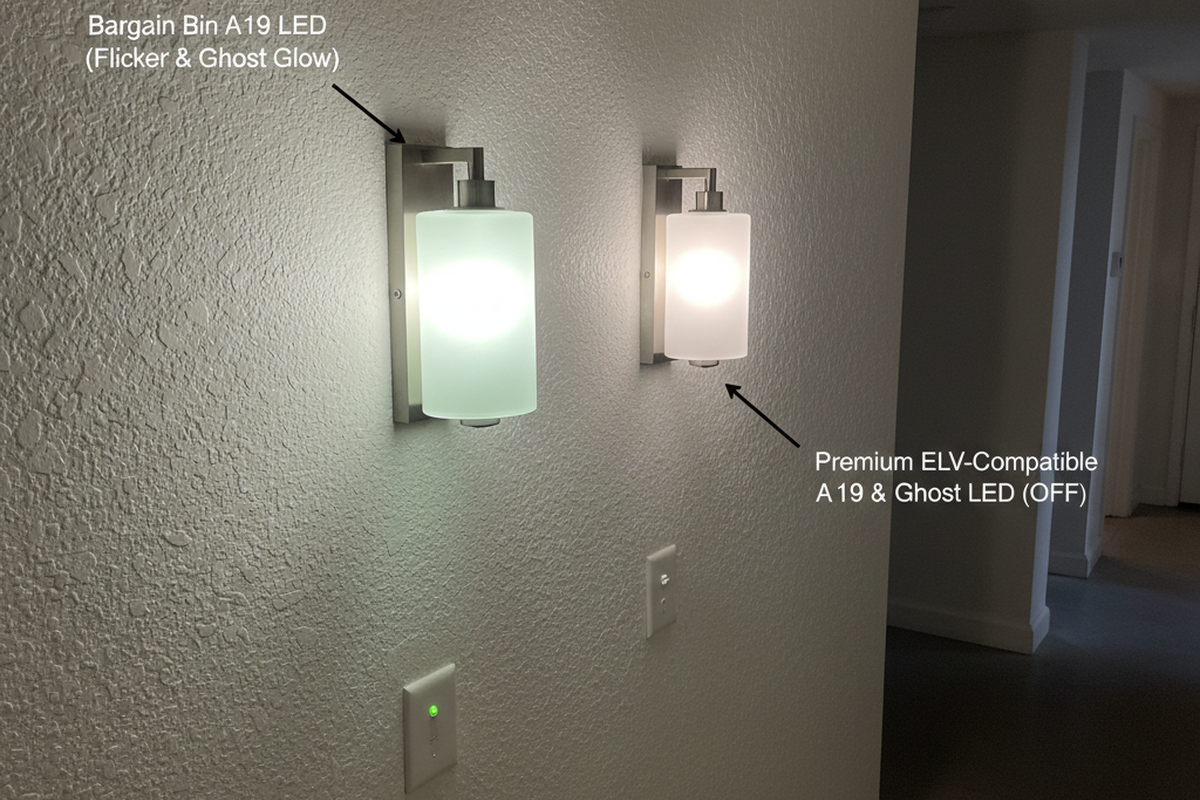
- «Τα φώτα τρεμοπαίζουν» μπορεί να είναι ένα γεγονός λήξης χρόνου ή συμπεριφορά μερικής απενεργοποίησης που μοιάζει με τρεμόπαιγμα σε έναν μη τεχνικό αναφορέα· επιβεβαιώστε με δοκιμή ακινησίας πριν κατηγορήσετε τα LED ή τους οδηγούς.
Υπάρχει ένα όριο εδώ. Αν η σουίτα συνεχίζει να συμπεριφέρεται απρόβλεπτα μετά την διόρθωση των ορατότητας και την επικύρωση των ρυθμίσεων βάσει προφίλ, ήρθε η ώρα να προχωρήσετε σε ηλεκτρική διάγνωση. Η απομακρυσμένη συμβουλή δεν πρέπει να προσποιείται ότι διαγνώσει οδηγούς, ουδέτερους ή βλάβες καλωδίωσης από ένα αρχείο παραπόνων. Η δουλειά της μετάφρασης είναι να μειώσει την περιττή εργασία και να κατευθύνει το πρόβλημα στη σωστή λύση.
Μόλις μια καταγγελία μεταφραστεί και λυθεί, γράψτε αυτή τη μετάφραση στον ίδιο χώρο όπου βρίσκονται τα προφίλ. Έτσι μια σουίτα αποφεύγει να επαναλαμβάνει την ίδια συζήτηση κάθε φορά που μια νέα άτομο την κληρονομεί.
Make It Survive: Τεκμηρίωση, Διαδρομές Επαναφοράς και Σταθεροποίηση Εβδομάδας‑1
Μια εργασία ενεργοποίησης δεν ολοκληρώνεται όταν τα φώτα «φαίνονται καλά». Ολοκληρώνεται όταν οι ρυθμίσεις μπορούν να αντέξουν την επόμενη τροποποίηση, την επόμενη αλλαγή ενοικιαστή ή το επείγον email από κάποιο σημαντικό άτομο.
Ο ελάχιστος επιβιώσιμος τεκμηριωτικός φάκελος είναι μικρός αλλά συγκεκριμένος: ετικετάρετε τον αισθητήρα ή τον τύπο δωματίου, καταγράψτε ποιο προφίλ χρησιμοποιεί και αποθηκεύστε την κατάσταση των ρυθμίσεων με τρόπο που να μπορεί να αποκατασταθεί. Φωτογραφίες των τμημάτων DIP διακοπτών που αποθηκεύονται στον φάκελο κλεισίματος είναι πιο χρήσιμες από μια αφήγηση. Ένα «Χάρτης Τύπου Δωματίου → Προφίλ» μιας σελίδας — αποθηκευμένος σε κοινόχρηστη μονάδα ή, όπου επιτρέπεται, κολλημένος στην πόρτα του πίνακα φωτισμού — υπερέχει έναν 60-σελίδων φάκελο που κανείς δεν ανοίγει. Μερικές τοποθεσίες προτιμούν μια καταχώριση CMMS· αυτό είναι εντάξει, αρκεί η χαρτογράφηση να είναι εύκολα ανιχνεύσιμη κατά τη διάρκεια μιας κλήσης παραπόνων.
Ένα πρακτικό κατάλογος παράδοσης φαίνεται έτσι:
- Γράψτε τα τρία προφίλ προθέσεων σε απλή γλώσσα.
- Σημειώστε τυχόν εξαιρέσεις και γιατί υπάρχουν.
- Περιλάβετε οδηγία επαναφοράς στην αρχική κατάσταση.
- Αναθέστε την ευθύνη των αλλαγών (ποιος επιτρέπεται να ρυθμίζει και ποιος πρέπει να ενημερώνεται).
Αυτή η βήμα ευθύνης ακούγεται διοικητικό, αλλά αποτρέπει το πρόβλημα «τυχαίας διαδρομής» όπου καλά προθέσεις άνθρωποι συνεχίζουν να ρυθμίζουν τα κουμπιά μέχρι η σουίτα να γίνει ασυνεπής.
Οι περιορισμοί συμμόρφωσης διαφέρουν ανά δικαιοδοσία και τύπο έργου, οπότε η συμβουλή ενεργοποίησης δεν πρέπει να απομακρύνεται από την απενεργοποίηση των απαιτούμενων ελέγχων. Ο πιο ασφαλής τρόπος είναι: ρυθμίστε σύμφωνα με την πολιτική. Αν οι τοπικές απαιτήσεις επιβάλλουν συμπεριφορά απενεργοποίησης, αντιμετωπίστε τα υπόλοιπα επίπεδα ελευθερίας — τοποθέτηση, στόχευση, χρονικά όρια ανά τύπο δωματίου και τεκμηρίωση — ως μοχλούς για να κάνουν τη σουίτα βιώσιμη.
Τελικά, επιτρέψτε μια σύντομη περίοδο σταθεροποίησης. Τα σχόλια της εβδομάδας‑1 εντοπίζουν τους τρόπους αποτυχίας που μπορεί να παραλείψει η λειτουργία όταν η σουίτα είναι κενή. Η παρακολούθηση της εβδομάδας‑4 εντοπίζει τα μοτίβα «καθαρισμού» και «πόρτες ανοιχτές» που εμφανίζονται μόνο όταν η λειτουργία σταθεροποιείται. Αυτό το μικρό επένδυμα συχνά είναι φθηνότερο από το να ζείτε με επιστροφές κλήσεων και διαβρωμένη εμπιστοσύνη καθ' όλη τη διάρκεια ζωής της σουίτας.